Q 1 . How to Register, Buy and Activate the software
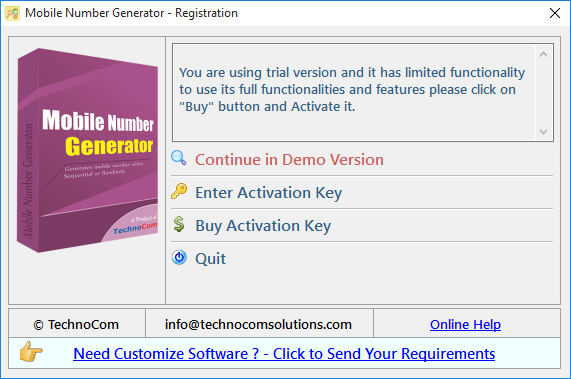
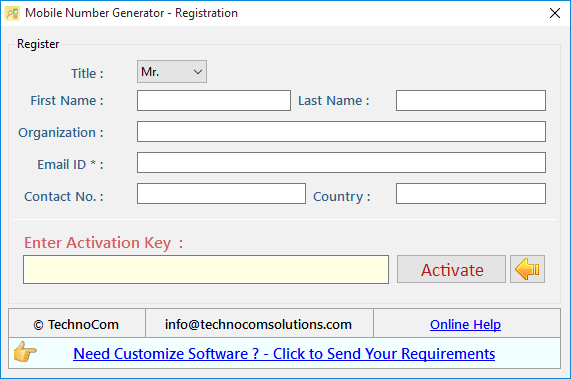
Register: To register the "Mobile Number Generator" click on the "Enter Activation Key" Button and fill the Registration Detail with the Activation Code.
Buy : You have to Buy "Mobile Number Generator" to get Activation Code. You Can Buy it From our Site by Clicking on "Buy Activation Now" button.
Try Demo: You can use demo version of "Mobile Number Generator" by clicking on "Continue in Demo Version" Button.
Q 2 .How to Generate Sequential Numbers?
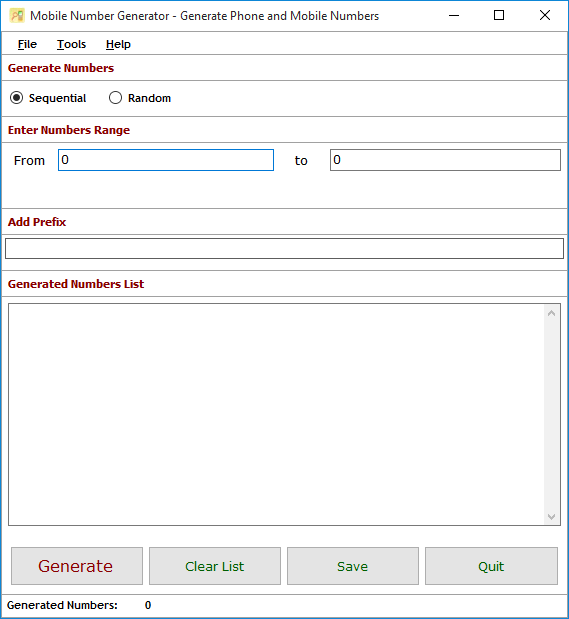
Please click on "Sequential Number Generator" option.
You need to enter Numbers Range in between of which you want to generate numbers. you can enter atleast 5 digits upto 12 digits in both textbox.
you must be sure that entered number in "From" textbox must be less than the number entered in "To" text box.
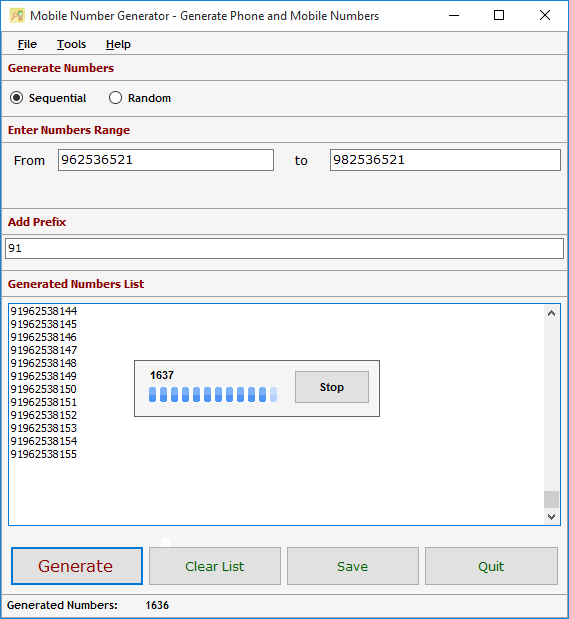
to generate numbers please click "Generate" button.
Generated Numbers List will show only 100000 numbers but process would be in process.
After completion of process generated numbers can be saved in .csv format or .txt file format.
You can also add Prefix to generated number.
Q.3.How to Generate Numbers in Random Sequence?
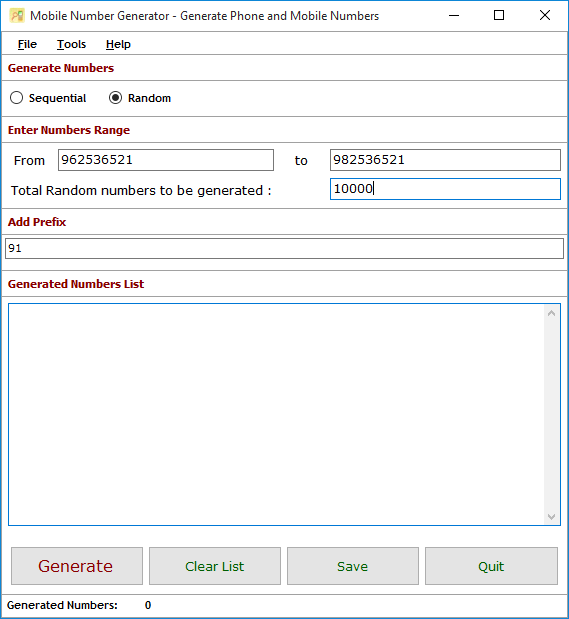
For generate mobile numbers randomly, click on "Random" option.
You need to enter Numbers Range in between of which you want to generate numbers. you can enter atleast 5 digits upto 12 digits in both textbox.
you must be sure that entered number in "From" textbox must be less than the number entered in "To" text box.
Enter "Total Random Numbers To Be Generated", how much random numbers you want to generate.
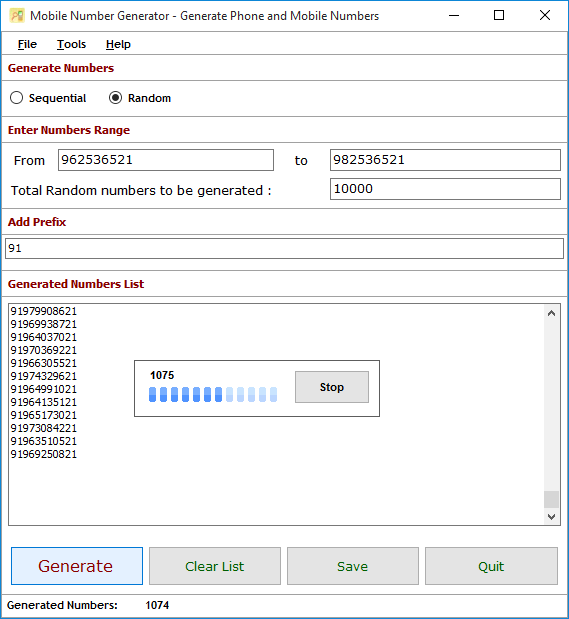
to generate numbers please click "Generate" button.
Generated Numbers List will show only 100000 numbers but process would be in process.
After completion of process generated numbers can be saved in .csv or .txt file format
Q.4. How to Save Generated Numbers?
Generate mobile numbers can only be saved in registered version of "Mobile Number Generator".
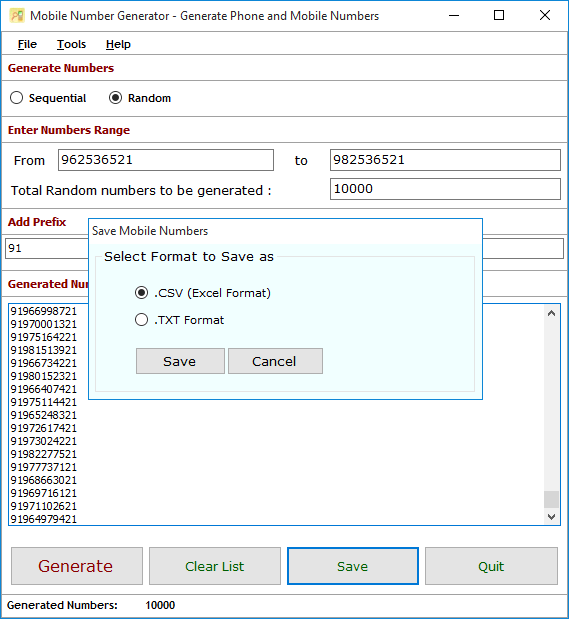
Generate mobile numbers can be saved in .CSV or .TXT format.
for save mobile numbers click "Save" Button.
so you need to select file format in which you want to save generated mobile numbers.
Format The Saved .CSV files:
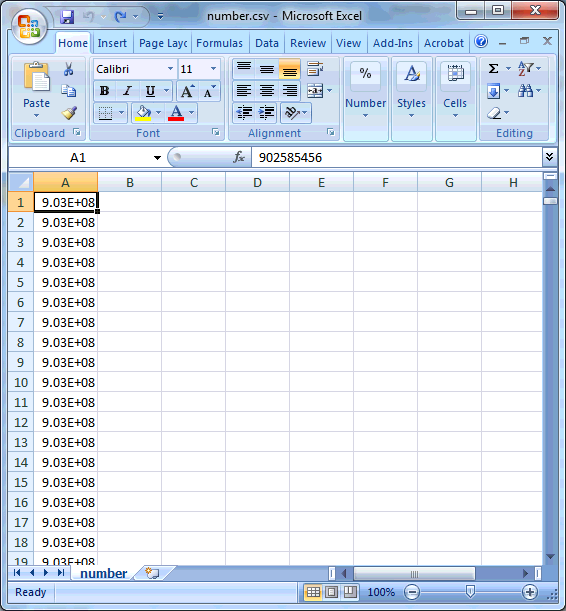
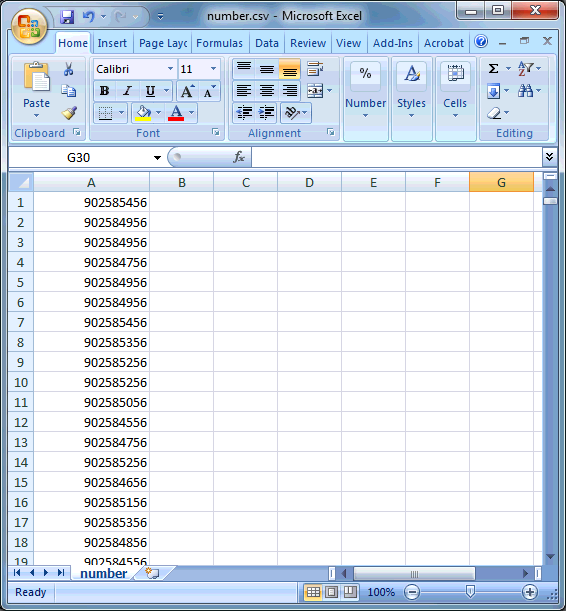
When you open saved .CSV file and saved numbers are not in proper format then please format all numbers. as
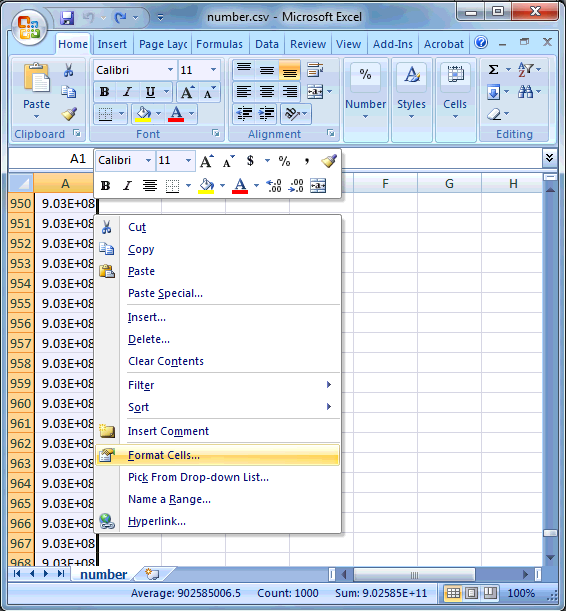
Select all those columns you want to format .
Right click the Mouse anywhere in the selection.
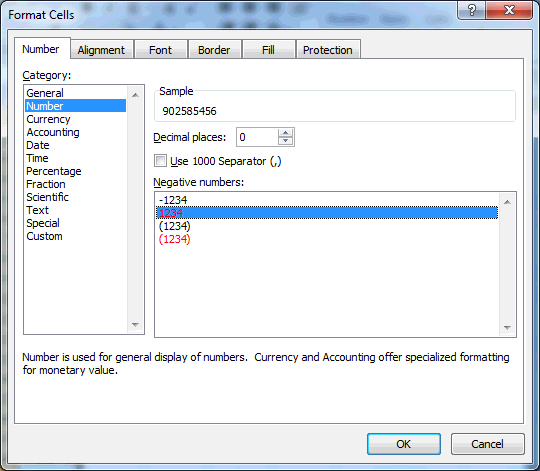
Select the "Format Cells... " function. Format Cells Dialog will be open .
Select Number Tab and Category , Do the decimal places 0.
Finally click "OK" . Numbers in .CSV file would be formated
Q.7. How to Deactivate or Transfer License to Another PC?
Visit: https://neurane.com/user/ Now Login
Step 1 : Click on License Panel -> Manage License
Step 2 : Find License Key and then Click on Deactivate
We are experiencing some issues with our website & database due to migration of server
Please be patient as it will be restored soon
Also existing users please don’t sign up again and wait for the full restoration
Notice
Apologies for the inconvenience.
We are currently experiencing a server issue that has temporarily affected access to our software product. Our technical team is working diligently to resolve this, and we anticipate the issue will be fixed within the next 72 hours.
We truly appreciate your patience and understanding during this time.