


Language Solutions

Get a Free Quote
Name
E-mail
Description
Budget

Download Trial Version
Parivartak v2.2


Parivartak v2.2
Overview
Key Features
How it Works
How to Buy

Overview

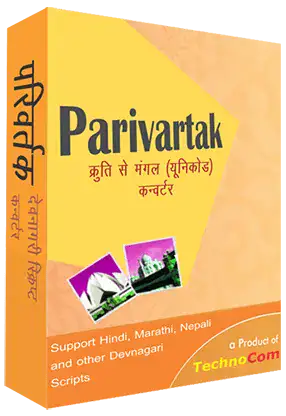
Parivartak v2.2 is the powerful & efficient Hindi Unicode/Non-Unicode Converter and writer Software for Hindi (Devnagri Script).Hindi Unicode/Non-Unicode Converter and writer Software has two mode one is Writer mode and another is Converter mode. In converter mode you can convert Kruti to Shusha, Shusha to Kruti (Non-Unicode) and Kruti to Arial/Mangal, and Shusha to Arial/Mangal (Unicode). In Writer mode you can type Unicode in Remington (Kruti), Phoenetic (Shusha) and Default Inscript Layout. It has the capability to convert thousands of words in few seconds. After Converting or typing you can save the data in RTF format for further use. You can also create PDF direct from the software. In brief, it is quite compact and fast.

Top

Key Features

1. " Hindi Unicode/Non-Unicode Converter and writer Software " in a Single Application.
2. Convert Kruti to Shusha, Shusha to Kruti (Non-Unicode) thousands of Words in few seconds.
3. In Writer mode Remington (Kruti) / Phoenetic (Shusha) two most popular keyboard layout for Devnagri Script is available
4. Unicode Inscript default layout also available.
5. Saves Result in RTF mode.
6. Print Facility available.
7. You can set Default Conversion and writer.
8. Onscreen Keyboard.
9. Scrolling Help.
10. Technical support

Limitations

Unregistered version can not save converted Document.
Unregistered version can not print converted Document.

Top

How it Works
Write Mode : By default Parivartak v2.2 will be appeared in Writer mode. In Writer Mode you can type Hindi Unicode Writer in Remington (Kruti) / Phoenetic (Shusha) /Inscript Keyboard layout it means all popular keyboard layout is supported by Parivartak. It also has an onscreen keyboard if someone doesn't know any type of keyboard for typing in Hindi can use onscreen keyboard. See Fig 1.1

Fig 1.1

Saving Text : After typing your text you can save the same as RTF format by clicking on File > Save button.
Open a File : You can open RTF format Files in Parivartak for further typing or Printing etc.
Print a File : You can also print a file on paper or create PDF from Acrobat Distriller.
Edit : All basic Cut/Copy/Undo functions are supported by It.
Converter Mode : By selection Converter from Mode drop down menu you can turn Parivartak in Hindi Unicode Converter Mode. In this mode just type in Source text box or you can also copy paste the text in Source text and press convert button or Ctrl+Shift+C to convert Kruti to Shusha, Shusha to Kruti (Non-Unicode) the typed text. See Fig 1.2

Fig. 1.2

Mode : From Mode drop down menu you can select the mode of Parivartak it may be Writer or Converter.
Keyboard : It shows the layout of Onscreen Keyboard. By Default Layout is Phonetic.
From : By this drop down menu you select the source layout/font in Writer or Converter Mode. If you select from main menu it will be automatically changed.
To : From this drop down menu you can select the Target Layout/Font in which you want to convert your text. Apply for Both Converter and Writer.
Source Text : The place where the source text should be entered. Apply on Converter Mode.
Target Text : The place where you will get the converted text. Apply on Converter Mode.

Top

How to order your copy

Payment Mode: PayPal/Credit Card

you can Pay Via PayPal/ by clicking on given link "PayPal" below.

Price: USD 14.95
Price: EURO 11.95

Contact Us at : technocom@gmail.com

(Copyright © TechnoCom Solutions All rights reserved)