

|
a   Translation Ad


Website Email Extractor v3.8
(Screenshots & Help File)

Click on Video Tour button to go through an video based tutorial

Step 1: Registration
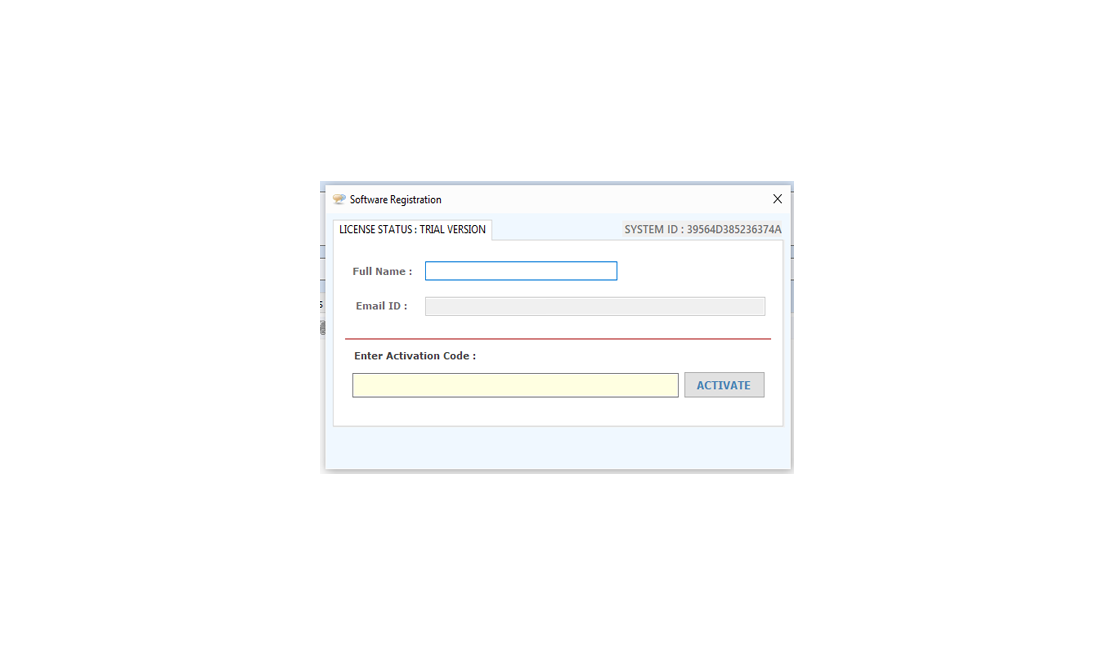
Registration window will be display in the un-registered version every time.

Buy: To buy "Website Email Extractor" please click "BUY Website Email Extractor" in the dialog window as below or you can even send to us cheque/DD or bank transfer in favour of "Technocom" payable at New Delhi and you can ask the details by sending us a email at info@technocomsolutions.com.

Register : for registering the "Website Email Extractor", After confirmation of payment we provide you an "Activation code" that registers your "Website Email Extractor".

Activate: Please enter your name, contact, email other required information in "Registration form as dialog window below with the Activation Code which is given by us and click Activate button.

Evaluation: By click on "Try Demo" button, you can use trial version of the software. trial version of the software gives you limited functionality.

Website Email Extractor

Download Links
 Download
 Download
Info
File Size
1.6 MB
version
3.8.5
 Price
$ 24.95
Buy
Buy now
Support
Excel Data Cleaner Add-in Support
We Accept
cards


 Website Email Extractor
How to Use "Website Emails Extractor"

Search Emails from a List of website/URL:

Following steps should be done:

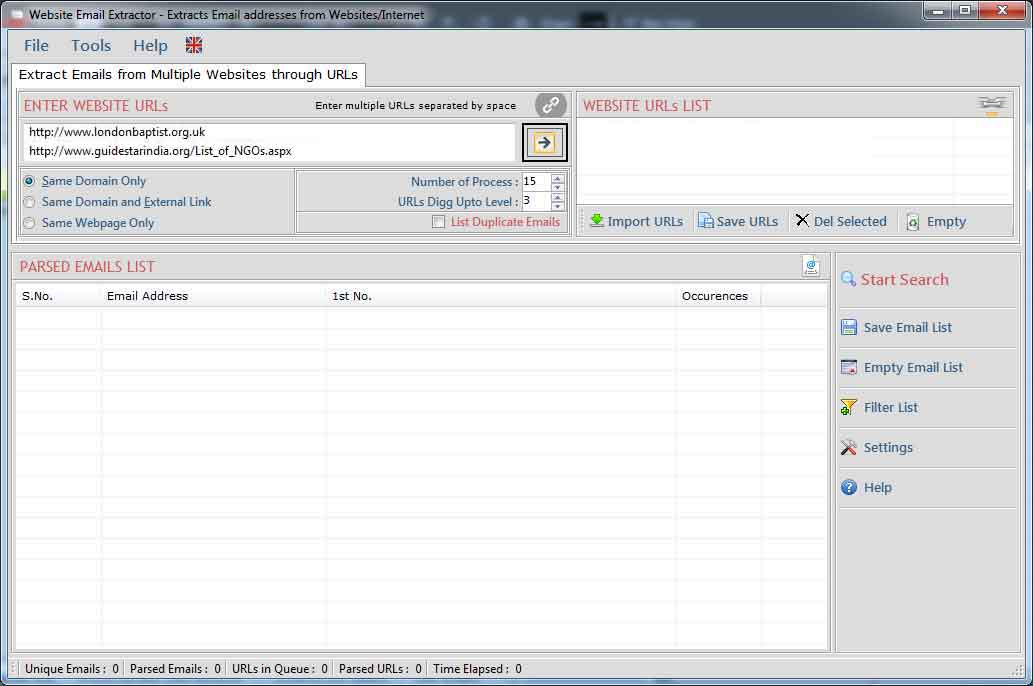
  • Run the "Website Email Extractor" for extract Emails from Internet/URL.
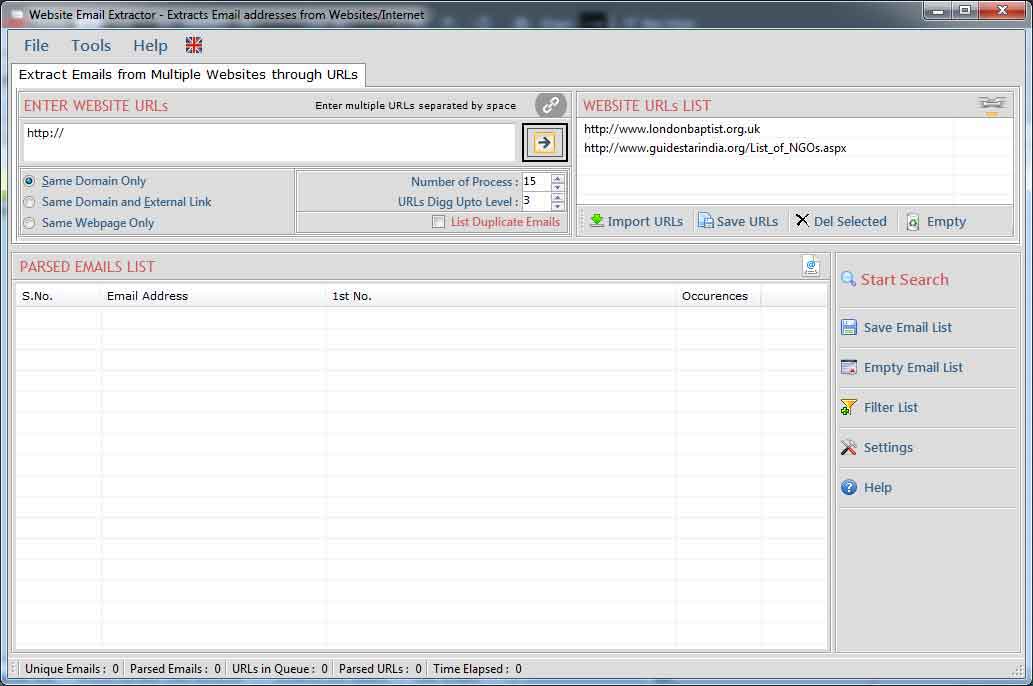
  • Give the proper URL in textbox OR add many URLs by separated with Space.
  • You can add many URLs from .CSV or .TXT files by click "Imports URLs" button.
  • Now select Search Emails From (1. Same Domain, 2. Same Webpages, 3. Links Outside the Domain) option.
  • Set the digg Upto Level (it defines searching of urls inside urls).
  • Set number of process (threads) to be run.
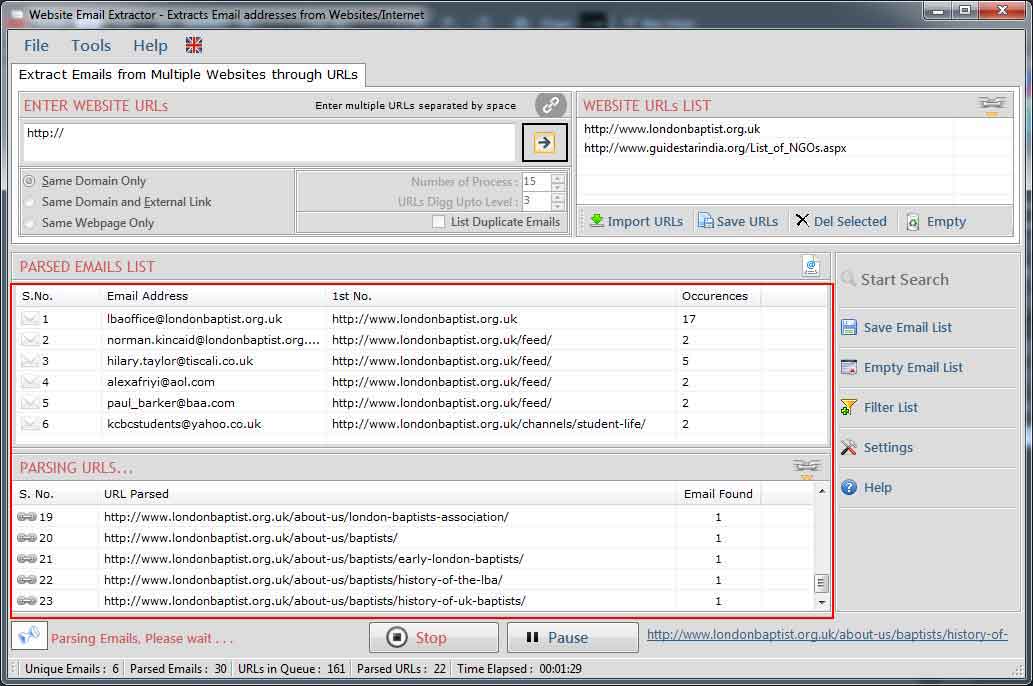
  • Start the searching by just clicking "Start Extracting Emails" Button.
  • Wait just few seconds, it will give a list of email addresses from the URLs listed in URLs List.

Website Email Extractor

Website Email Extractor

Website Email Extractor

  • Process can be stopped by click "Stop" button.
  • After stopped the process, you can restart the process again from starting.

Preferences:

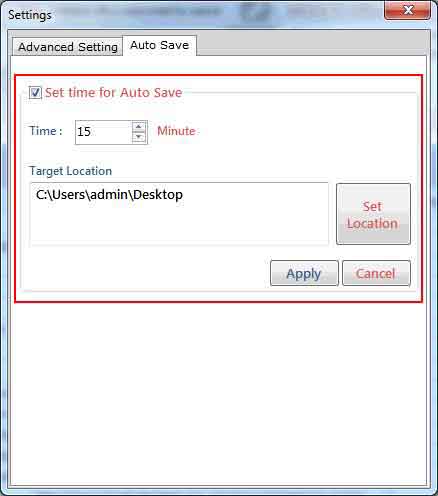
Settings window is use to add/edit restricted words in url and email addresses.

Following steps to be done for changing settings:
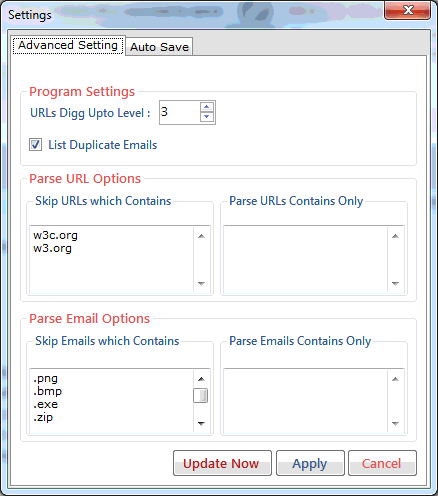
  • Click on "Settings" button in "Website Email Extractor".
  • A Settings window will be shown as below...
  • If you are using registered software, you will see a button for "Transfer the Licence on another PC".
  • After De-Register the software on the PC you can activate the same software on another Computer by the same Activation code.
  • If you have any proxy setting, you can enable the "Detect Proxy Automatically".

Website Email Extractor

  • Next tab allows you to edit Parse URLs Option.
  • Here You can add keywords that you want in parsed urls
  • You can add keywords that parsed urls must not contains.

Website Email Extractor

  • Next tab allows you to edit emails Option.
  • Here You can add keywords that you want in extracted emails.
  • You can add keywords that emails must not contains.

Website Email Extractor

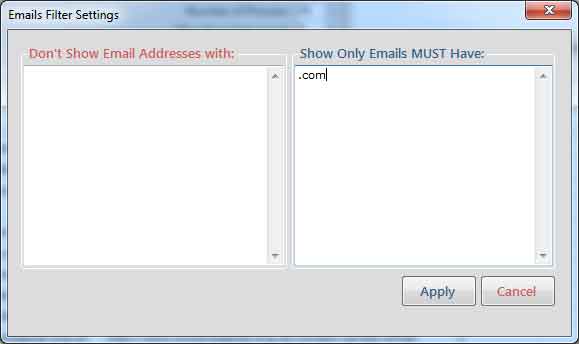
Filter:

Filter allow you to show/hide the email addresses corresponding to your keywords. use filter operation by click "Filter" button. by using this feature you can see the actual emails list that you want.
Website Email Extractor
 
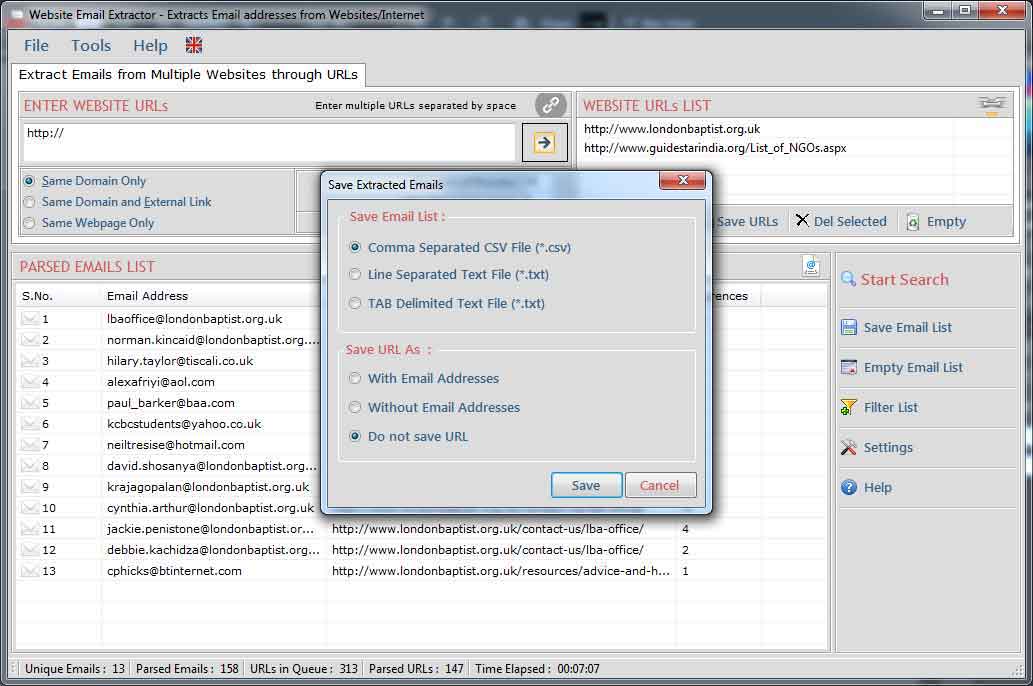
Save Extracted Email Addresses :
Save Extracted email addresses in different file formats as given in the windows below with/without url or url only.
 
Website Email Extractor
follow us on facebook
 
 
offer
 
offer
 
I bought Website Email Extractor software v3.8 and it worked perfectly for me for extract email id.This is the best and most affordable software on the Net.
~ Andrew Jones

Your software has increased my Excel capability tremendously and it is so cheap that I cannot believe it.
~ Susan

I was stuck with so many Emails on my Outlook and wanted to get all the Email addresses but was not finding the way out, Fortunately I found your unique software which could let extracts emails from my Outlook.
~ Dan Phillips

 
Go to Top