Q.3. How to Add Words to the Word Highlighter?
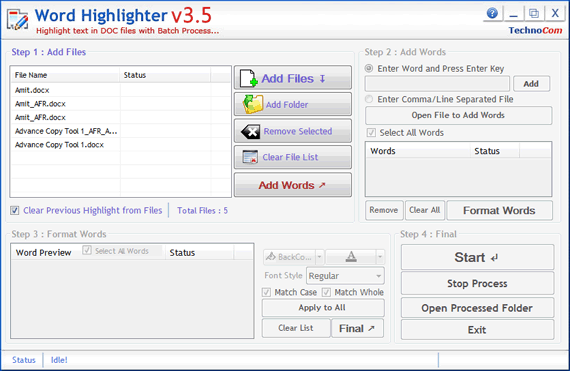
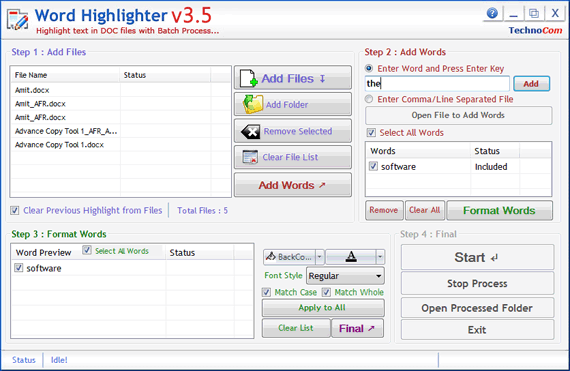
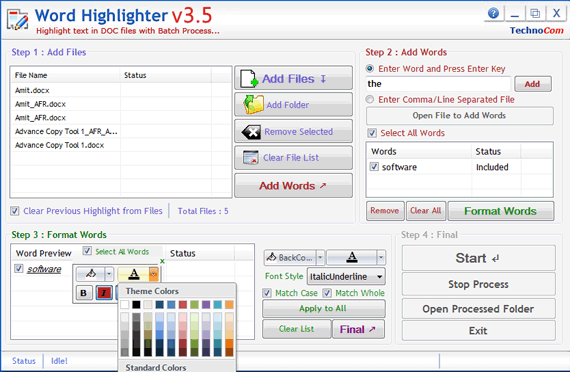
Step 2 : Add Words - In this step you can add
words or phrase, you can add words one by one or from a Comma/Line Separated Text file. You can type word and press enter or click "Add" button to add the same on Word List below. To add Words from TXT file just click on "Enter Comma/Line Separated File" radio button and than press "Open File to Add Words", select you file, all words will be automatically listed in Word List below.
Select All Words : Check this option to select all Words.
Remove : You can remove the checked words from the word list, to select multiple words in word list use Ctrl or Shift key. You can also remove words by pressing DEL key from Keyboard.
Clear All : Press it to remove all words from list. You can also remove words by pressing DEL key from Keyboard.
Format Words: Press this button to add all checked words to Preview Word List and to goto next Step